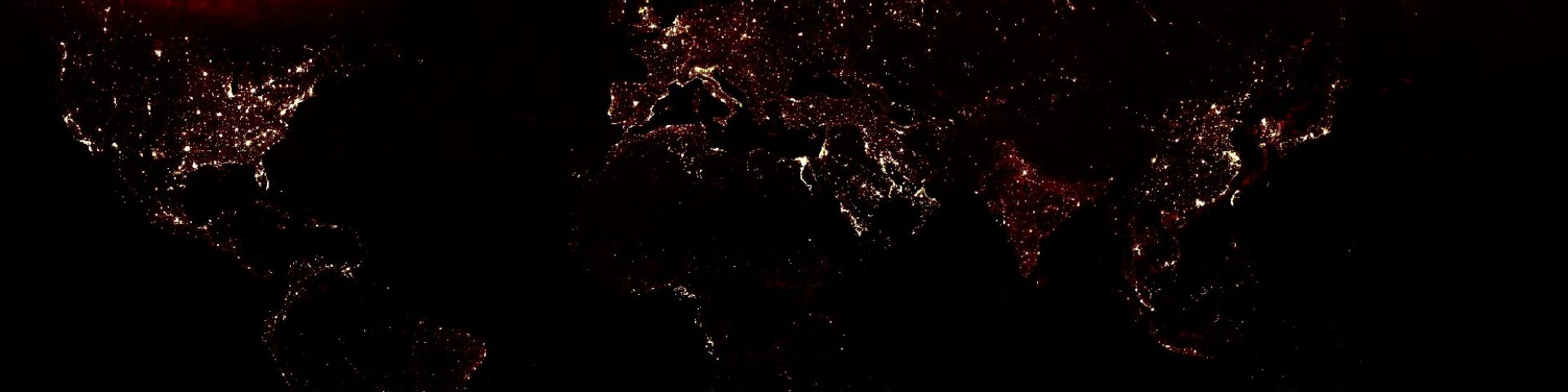

Timelapse movie from landsat 4, 5, 7 and 8
Step 1: Create a list containing all years
// define the period
var years = ee.List.sequence(1988,2016,1);
Step 2: Create a list containing all years
// import collections
var l4 = ee.ImageCollection("LANDSAT/LT04/C01/T1_SR");
var l5 = ee.ImageCollection("LANDSAT/LT05/C01/T1_SR");
var l7 = ee.ImageCollection("LANDSAT/LE07/C01/T1_SR");
var l8 = ee.ImageCollection("LANDSAT/LC08/C01/T1_SR");
Step 2: Create a list containing all years
// import collections
var l4 = ee.ImageCollection("LANDSAT/LT04/C01/T1_SR");
var l5 = ee.ImageCollection("LANDSAT/LT05/C01/T1_SR");
var l7 = ee.ImageCollection("LANDSAT/LE07/C01/T1_SR");
var l8 = ee.ImageCollection("LANDSAT/LC08/C01/T1_SR");
Step 3: Set bandnames
// set bandnames for rgb
var l4names = ee.List(["B1","B2","B3"]);
var l5names = ee.List(["B1","B2","B3"]);
var l7names = ee.List(["B1","B2","B3"]);
var l8names = ee.List(["B2","B3","B4"]);

// bands
var bands = ee.List(['blue','green','red']);
Step 4: Set bandnames
// set bandnames for rgb
var l4names = ee.List(["B1","B2","B3"]);
var l5names = ee.List(["B1","B2","B3"]);
var l7names = ee.List(["B1","B2","B3"]);
var l8names = ee.List(["B2","B3","B4"]);

// bands
var bands = ee.List(['blue','green','red']);
Step 5: create a geometry
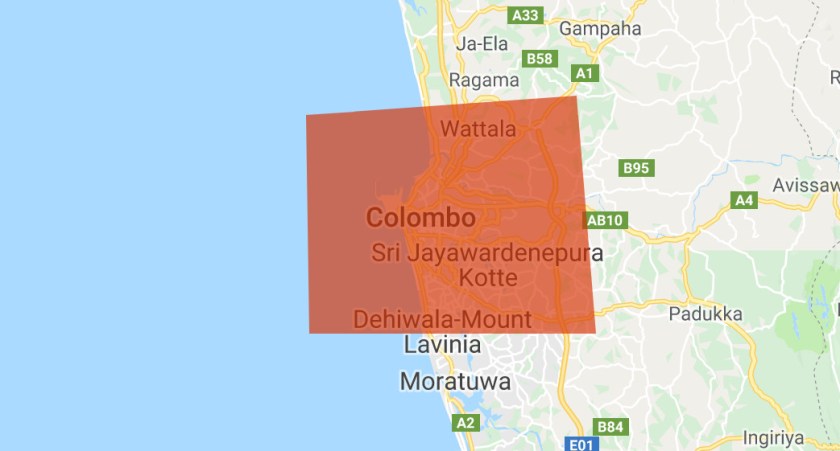
Step 6: Filter for cloudcover and geometry:
// Filter based on location
var l4images  = l4.filterBounds(geometry).filter(ee.Filter.lt("CLOUD_COVER",5));
var l5images  = l5.filterBounds(geometry).filter(ee.Filter.lt("CLOUD_COVER",5));
var l7images  = l7.filterBounds(geometry).filter(ee.Filter.lt("CLOUD_COVER",5));
var l8images  = l8.filterBounds(geometry).filter(ee.Filter.lt("CLOUD_COVER",5));
Step 7: Scale bands and select rgb
function scale(image){
  return image.multiply(0.0001).set("system:time_start",image.get("system:time_start"));
}

// Change the bandnames
l4images = l4images.map(scale).select(l4names,bands);
l5images = l5images.map(scale).select(l5names,bands);
l7images = l7images.map(scale).select(l7names,bands);
l8images = l8images.map(scale).select(l8names,bands);
Step 8: merge the collections into 1 collection
var collection = l4images.merge(l5images).merge(l7images).merge(l8images).sort("system:time_start");

print(collection);
Step 9: merge the collections into 1 collection
var collection = l4images.merge(l5images).merge(l7images).merge(l8images).sort("system:time_start");

print(collection);
Step 10: Create a 8-bit format and export the collections to video
// we need an 8-bit format
var coll4Video = collection
  .map(function(image) {
    return image.multiply(512).uint8();   // need to make it 8-bit
  });

// export the video to the drive
Export.video.toDrive({
    collection: coll4Video.select(['red','green','blue']),
    description: "Colombo" ,
    scale: 30,
    framesPerSecond: 4,
    region: geometry.bounds()
});
https://code.earthengine.google.com/002bd80b4832fc12236fb1b71ed8048c
 Open Geo Blog
Hi, I recently came across this code. I modified it to make a time lapse animation for a different region by making a new geometry, then linking your code to this new geometry. However when I output the video it only looks black. Is there anything else I need to change to make this work?
LikeLike
edit: I figured it out. Oversight on my part renaming a variable. Thanks for this code, it works great!
LikeLike