export the results of the random forest classification
step 1: add the image and training data
var image = ee.Image("users/servirmekong/Vietnam/Sent2_2017_Forest001")
var referenceData = ee.FeatureCollection("users/servirmekong/Vietnam/ReferenceDataForestTraining");
var chl = ee.FeatureCollection("users/servirmekong/Vietnam/CHL_Boundary").geometry();
step 2: select the training data
var referenceData = referenceData.randomColumn("random");
var sample = referenceData.filter(ee.Filter.lt("random",0.8));
var trainingSample = image.sampleRegions(sample,["land_class"],10);
step 3: Train the classifier
var bandNames = image.bandNames();
var classifier = ee.Classifier.randomForest(100,0).train(trainingSample,"land_class",bandNames);
step 4: classify the image
var classification = image.classify(classifier,'Mode');
step 5: Add the image to the map and export the result

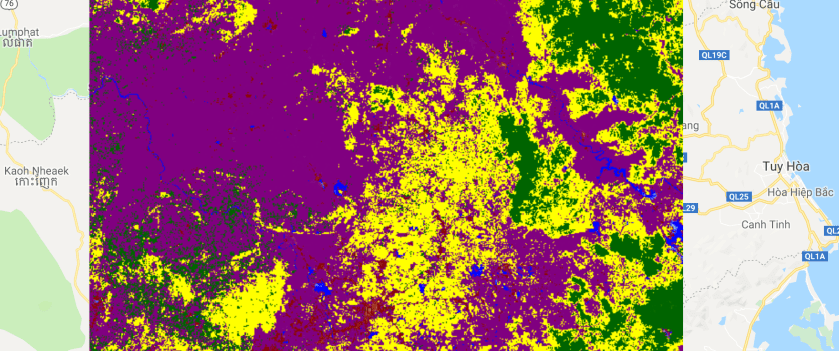
Map.addLayer(classification,{min:0,max:4,palette:"blue,purple,darkred,yellow,darkgreen"},"land cover map")

Export.image.toAsset({image:classification,
                    region:chl,
                    maxPixels:1e13,
                    scale:10})
 Open Geo Blog