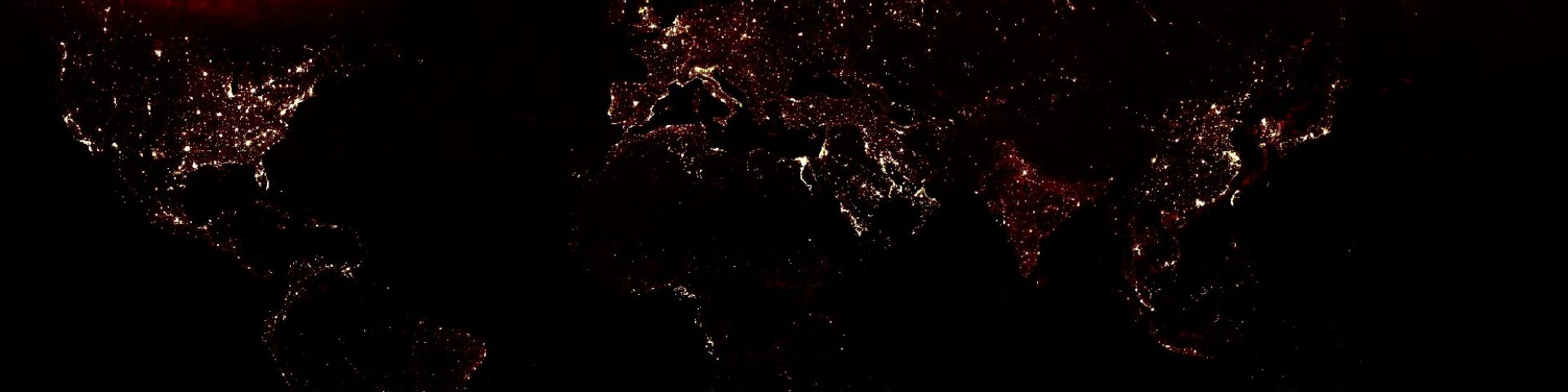

using night lights to map exposure
step 1: import the area of country boundaries and select your area of interest
// define the countries of interest in this list
var countryList = ["Cambodia","Vietnam","Laos","Burma","Thailand"];
// import the country boundaries and filter for the countries of interest
var countries = ee.FeatureCollection('USDOS/LSIB_SIMPLE/2017').filter(ee.Filter.inList("country_na", countryList));
// add the layer to the map
Map.addLayer(countries,{},"countries of interest");
step 2: import the nightlight image collection
// import the nightlight image collection
var nightlight = ee.ImageCollection("NOAA/VIIRS/DNB/MONTHLY_V1/VCMSLCFG");
step 3: filter for time period 1 and display the results
// set the start and end dates
var start = ee.Date.fromYMD(2014,1,1);
var end = ee.Date.fromYMD(2014,12,31);

// filter for the period of interest
var nightlights2014 = nightlight.filterDate(start,end);
// take the mean note that this operation transforms the image collection into an image
nightlights2014 = ee.Image(nightlights2014.mean());
// select the avg_rad band
nightlights2014 = nightlights2014.select("avg_rad");
// clip for the area of interest
nightlights2014 = nightlights2014.clip(countries);
Map.addLayer(nightlights2014,{min:0,max:10,palette:['000000','700000','808080','FFFF00','ffffff','ffffff','ffffff']},"nightlights 2014");
step 4: filter for time period 2 and display the results
// set the start and end dates
var start = ee.Date.fromYMD(2021,1,1);
var end = ee.Date.fromYMD(2021,12,31);

// filter for the period of interest
var nightlights2021 = nightlight.filterDate(start,end);
// take the mean note that this operation transforms the image collection into an image
nightlights2021 = ee.Image(nightlights2021.mean());
// select the avg_rad band
nightlights2021 = nightlights2021.select("avg_rad");
// clip for the area of interest
nightlights2021 = nightlights2021.clip(countries);
Map.addLayer(nightlights2021,{min:0,max:10,palette:['000000','700000','808080','FFFF00','ffffff','ffffff','ffffff']},"nightlights 2021");
Click this link to see the full code
 Open Geo Blog
nice work. all I knew about GEE from you. thanks
LikeLike
This post is awesome by the way also referring this post ( https://onlyvehicle.blogspot.com/2021/10/tata-punch-xe-tata-punch-price-and.html ) because, I open my mouth after seen this post, I get all info what I need. https://onlyvehicle.blogspot.com/2021/10/tata-punch-xe-tata-punch-price-and.html
LikeLike
This post is awesome by the way also referring this post ( https://onlyvehicle.blogspot.com/2021/10/tata-punch-xe-tata-punch-price-and.html ) because, I open my mouth after seen this post, I get all info what I need. https://onlyvehicle.blogspot.com/2021/10/tata-punch-xe-tata-punch-price-and.html
LikeLike
Thank you so much for this post. I want to use nightlight data from https://eogdata.mines.edu/products/vnl/
How could I use this data file in your code. I need your help in this regard. Please.
LikeLike
Additionally, I want to analyze the night light data with average radiation like for high urban areas, low urban areas and rural areas. If possible, please help me in writing the code for the same.
I want to use night light data from this website: https://eogdata.mines.edu/products/vnl/
LikeLike